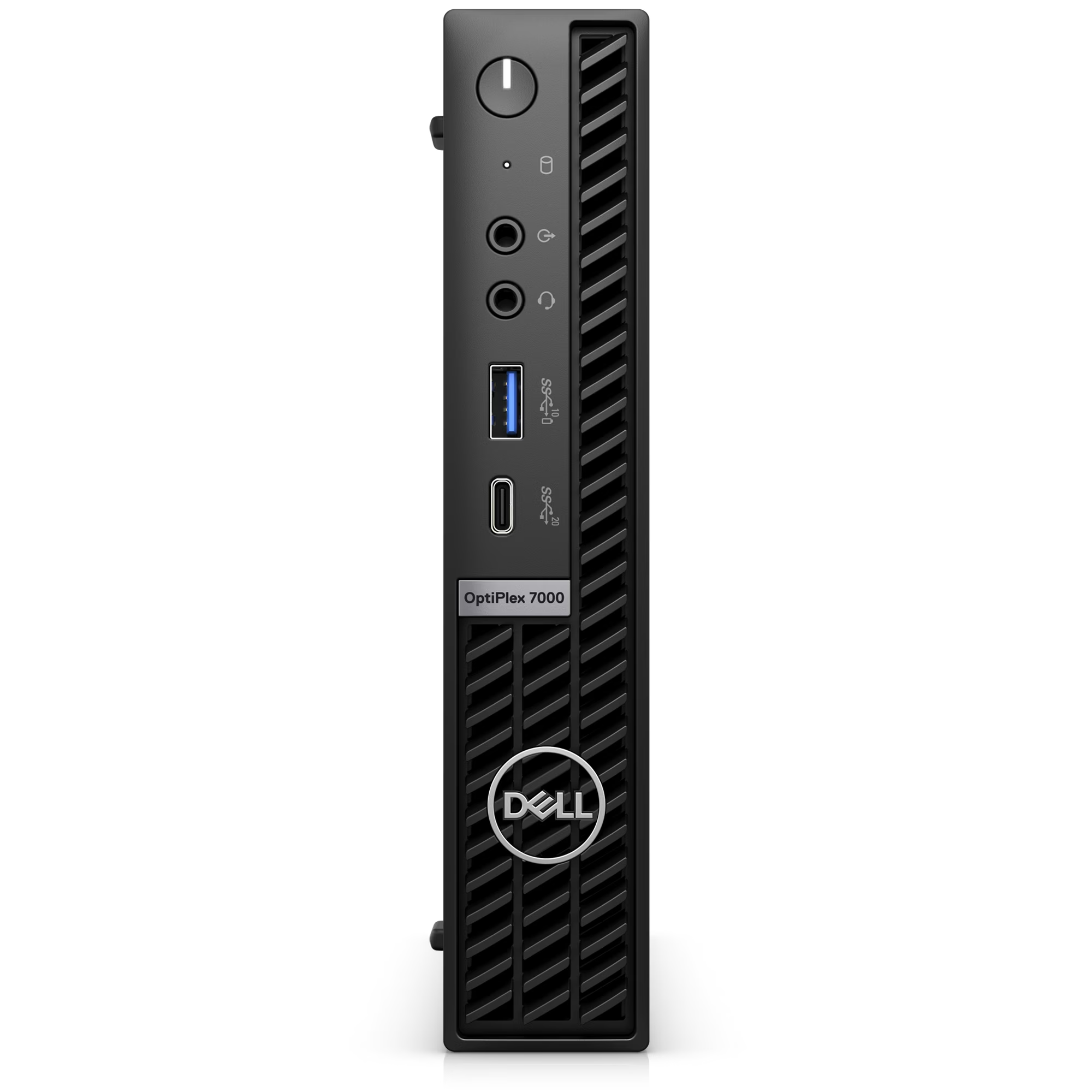
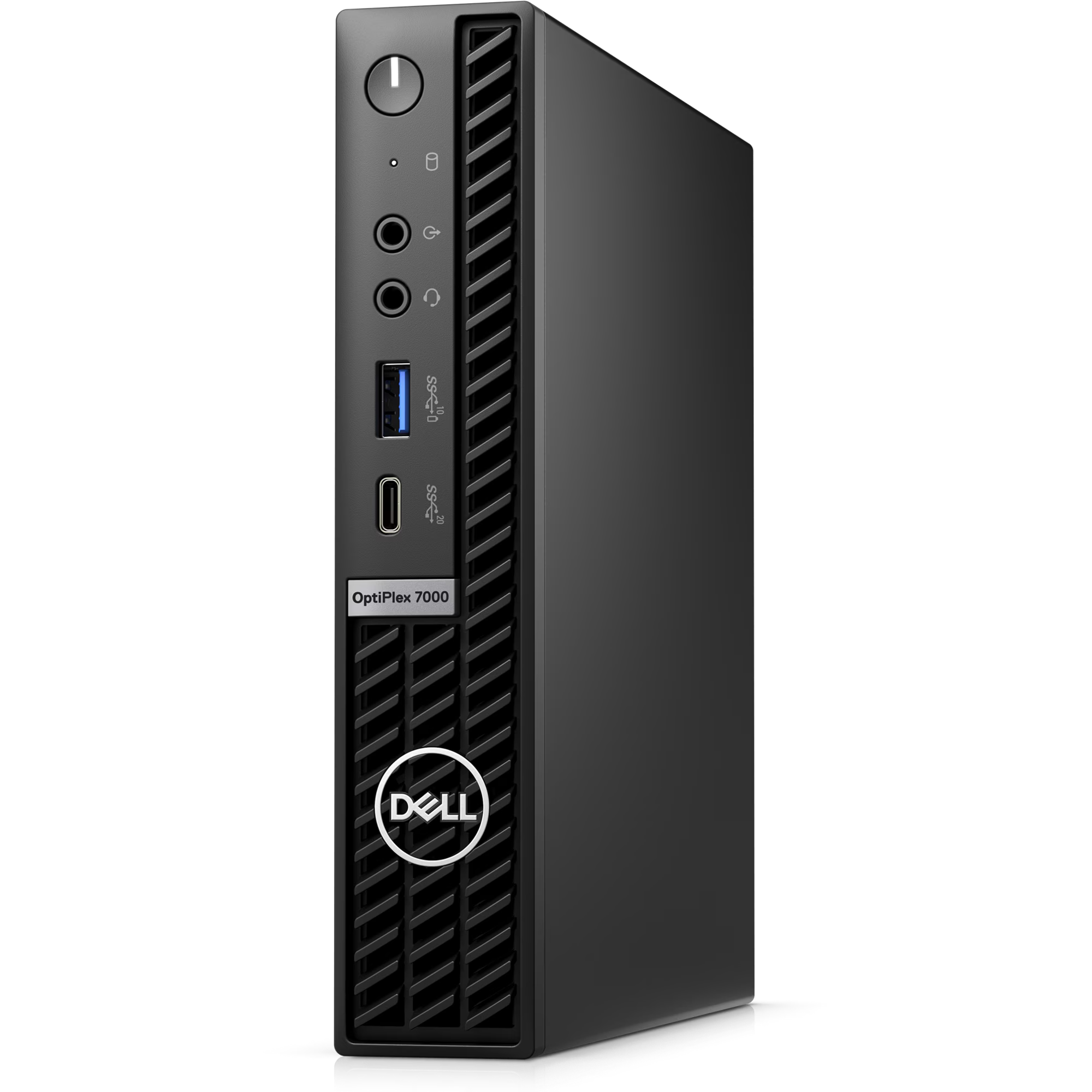
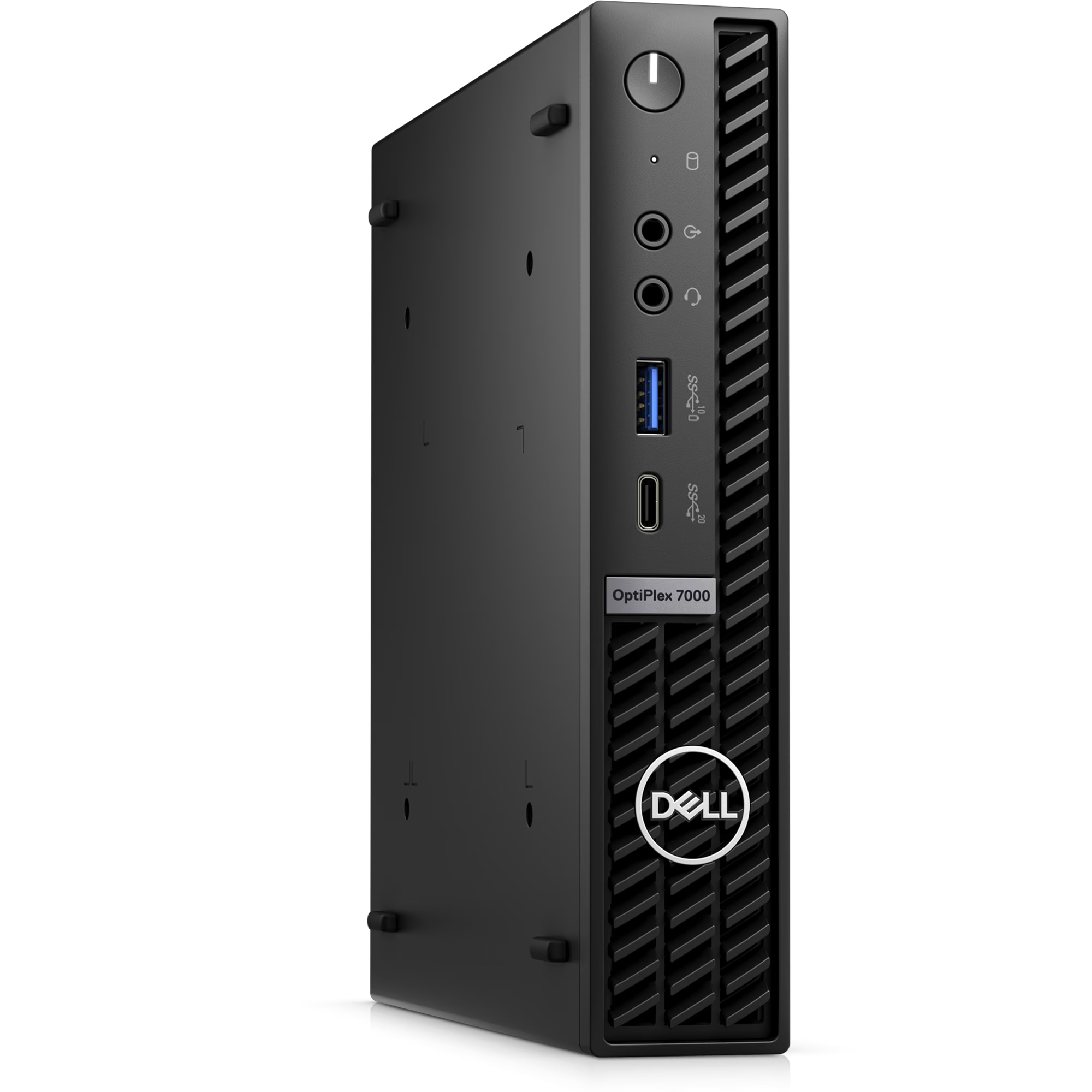
OptiPlex 7000 Micro Form Factor – Core I7 – 12700 – 8GB DDR4 – 512 NVME – Intel® UHD Graphics 770

Call for price

1 Year Warranty

Brand New

Categories: , , ,

Description

Technology that revolves around you

Meet the, sustainably built OptiPlex family with Artificial Intelligence personalization and up to Intel® Core™ i9 processors.
<img class="u-max-full-width" src="data:;base64,” alt=”OptiPlex 7000 Micro ” data-src=”https://i.dell.com/is/image/DellContent/content/dam/ss2/products/desktops-and-all-in-ones/optiplex/7000-micro/pdp/desktop-optiplex-7000micro-pdp-mod01.psd?qlt=95&fit=constrain%2c1&hei=400&wid=965&fmt=jpg” />
<img class="u-max-full-width" src="data:;base64,” alt=”Picture of a Dell OptiPlex 7000 Micro connected to monitors, keyboard and mouse and a headset all seen from above. ” data-src=”https://i.dell.com/is/image/DellContent/content/dam/ss2/products/desktops-and-all-in-ones/optiplex/7000-micro/pdp/desktop-optiplex-7000micro-pdp-mod02a.psd?qlt=95&fit=constrain%2c1&hei=321&wid=390&fmt=jpg” />

Designed around you

Compact without compromise:With modern, flexible mounting options, the 7000 Micro blends into any workspace.

Sustainably built:Contains up to 60% post-consumer recycled materials to minimize environmental impact.

Easy Upgrades:Now easier to maintain and upgrade with tool-less access without removing the bezel.

Ready when you are: Featuring Windows Modern Standby to enable an instant on/instant off user experience with constant connectivity.

<img class="u-max-full-width" src="data:;base64,” alt=”Picture of a Dell OptiPlex 7000 Micro on its back showing the ports available behind the product. ” data-src=”https://i.dell.com/is/image/DellContent/content/dam/ss2/products/desktops-and-all-in-ones/optiplex/7000-micro/pdp/desktop-optiplex-7000micro-pdp-mod02b.psd?qlt=95&fit=constrain%2c1&hei=321&wid=390&fmt=jpg” />

Made to work as hard as you

High-powered proficiency:OptiPlex 7000 Micro 65W is available with the latest DDR5 memory giving you the ability to handle a bigger workload.

Take on any task: Built with 12th Gen Intel® Core™ up to i9 65W CPU and new Hybrid Core technology. The OptiPlex 7000 Micro balances workloads between cores, making multitasking effortless.

High-speed access: New Wi-Fi 6E brings more bandwidth and better performance while future-proofing your IT investment.

<img class="u-max-full-width" src="data:;base64,” alt=”Picture of a Dell OptiPlex 7000 Micro.” data-src=”https://i.dell.com/is/image/DellContent/content/dam/ss2/products/desktops-and-all-in-ones/optiplex/7000-micro/pdp/desktop-optiplex-7000micro-pdp-mod02c.psd?qlt=95&fit=constrain%2c1&hei=321&wid=390&fmt=jpg” />

Achieve more every day

Stay connected: Connect to the latest peripherals with USB 3.2 Gen 2×2 Type C port access.

Broaden your horizons:12th Gen Intel® Core™ integrated graphics with support for up to 4 independent displays.

See things your way:Select the monitor that fits you best with an extensive line-up from the leading monitor brand worldwide.

<img class="u-max-full-width" src="data:;base64,” alt=”Dell Optimizer tool.” data-src=”https://i.dell.com/is/image/DellContent/content/dam/ss2/product-images/electronics-software-and-accessories/software/dell/optimizer/4-0/optimizer-4-0-screenfill-home-menu-3840×2160.psd?qlt=95&fit=constrain%2c1&hei=321&wid=390&fmt=jpg” />

Dell Optimizer

Intelligence built around you: Automatically personalize and boost the performance of your system and its entire ecosystem with Dell Optimizer, an AI-based optimization software that learns and responds to the way you work.

Personalized Performance: Intelligence and machine learning elevate productivity by automatically personalizing performance features across your entire ecosystem, making them the world’s most intelligent PCs.

Intelligent Collaboration: Get the world’s most intelligent collaboration experience with smart audio conferencing, connectivity and productivity features – all in one software.

Safe, secure and manageable: We ensure optimization and data collection follows a stringent process to keep your information safe. Any data we do gather is analysed locally on your system to improve your personal PC experience.

Features and dashboard vary by model.

Discover More

Download Dell Optimizer

Leader in sustainability

OptiPlex was our first product to be made with recycled plastic in 2007 and the first to use materials from our closed-loop supply chain in 2014. Today OptiPlex contains up to 60% recycled material, has over 60 EPEAT registered products, more than 50 TCO Certified configurations, and energy Star 8.0.
<img class="u-max-full-width" src="data:;base64,” alt=”Eco Labels” data-src=”https://i.dell.com/is/image/DellContent/content/dam/ss2/product-images/esupport/icons/30-commercial-icon-award-certificate-16-280×150.jpg?fmt=jpg&wid=280&hei=150&fit=fit%2c1&qlt=100%2c0″ />
Eco-Labels
This product is EPEAT Gold and ENERGY STAR qualified (on select configurations). EPEAT registration varies by country. For specific country participation and rating, please see www.epeat.net.
<img class="u-max-full-width" src="data:;base64,” alt=”Products and Packaging” data-src=”https://i.dell.com/is/image/DellContent/content/dam/ss2/product-images/esupport/icons/30-commercial-icon-package-open-16-280×150.jpg?fmt=jpg&wid=280&hei=150&fit=fit%2c1&qlt=100%2c0″ />
Products and Packaging
Dell Technologies is transitioning to products and packaging made from recycled or renewable resources, and improving products’ energy efficiently. We are also working towards reducing our greenhouse gas emissions within our operations and with our direct supply chain partners. Read more about our commitment to sustainability and our 2030 Social Impact goals here.
<img class="u-max-full-width" src="data:;base64,” alt=”Carbon Footprint” data-src=”https://i.dell.com/is/image/DellContent/content/dam/ss2/product-images/dell-client-products/notebooks/latitude-notebooks/15-9510/pdp/laptop-latitude-9510-commercial-icon-recycle-16-280×150.png?fmt=jpg&wid=280&hei=150&fit=fit%2c1&qlt=100%2c0″ />
Carbon Footprint
One of Dell’s primary goals is to minimize our environmental impact. We aim to reduce the carbon footprint of our products throughout their lifecycle, from development to recycling and everything in between. Learn more about this product’s carbon footprint here.

Unified Workspace

Back your IT investment with Dell Technologies Unified Workspace for the most comprehensive solution to deploy, secure, manage and support virtually all devices from the cloud. This revolutionary solution is designed with intelligence and automation providing visibility across the entire endpoint environment. This complete solution from Dell Technologies helps customers save time, improve user experience, optimize resources and strengthen security.
<img class="u-max-full-width" src="data:;base64,” alt=”Picture of a smiley man wearing a green shirt and glasses with a headset on his head using a Dell monitor.” data-src=”https://i.dell.com/is/image/DellContent/content/dam/ss2/products/desktops-and-all-in-ones/optiplex/chengming-3901/pdp/desktop-optiplex-chengming-3901-pdp-mod03.psd?qlt=95&fit=constrain%2c1&hei=321&wid=390&fmt=png-alpha” />
Deploy:Our modern deployment solution, ProDeploy in the Unified Workspace allows you to revolutionize the way deployment gets done. By spending just one hour for set up, IT can then hand deployment to Dell and have preconfigured systems shipped directly to the end users wherever they are.

Secure:Dell Endpoint Security for the Unified Workspace helps manage growing cyber risks while embracing workforce transformation. With Dell SafeGuard and Response powered by Secureworks, gain actionable insight to help quickly and efficiently prevent, detect and respond to cyber attacks keeping your environment free from harm.

Manage:We integrated our hardware management solution Dell Client Command Suite with VMware Workspace ONE, allowing you to take advantage of unified endpoint management (UEM) and manage the firmware, operating system and applications for all devices from the Workspace ONE console. UEM simplifies the management of the entire environment saving IT time from having to work between separate consoles for PCs and phones.

Support:ProSupport Plus continues to be the only predictive and proactive support in the market. When compared to key competitors, ProSupport Plus with SupportAssist reduced time to resolve a failed hard drive with up to 11x faster time to resolution.

<img class="u-max-full-width" src="data:;base64,” alt=”Laptop homepage with Microsoft Windows 11 blue logo as background and search tool opened.” data-src=”https://i.dell.com/is/image/DellContent/content/dam/ss2/product-images/dell-client-products/desktops/optiplex-desktops/optiplex-d13-tower/pdp/win23-cml-nov-copilot-in-windows-16×9-en-us-v1.psd?fmt=jpg&wid=4000&hei=2250&fit=fit%2c1&qlt=100%2c0″ />

Stay Secure, Be Productive

Start secure. Stay Secure. Organizations report a 58% drop in security incidents with Windows 11 Pro devices.

Windows 11 Pro devices help you simplify your workday and improve productivity. Switch seamlessly between locations. Blaze through your to-do list with AI-powered multitasking, features to get organized in a snap, and performance to speed demanding workloads to completion 42% faster on average.

Learn More

<img class="u-max-full-width" src="data:;base64,” alt=”Picture of three Dell OptiPlex 7000 Micro with numbers from 1 to 22 signaling the product ports & slots.” data-src=”https://i.dell.com/is/image/DellContent/content/dam/ss2/products/desktops-and-all-in-ones/optiplex/7000-micro/pdp/desktop-optiplex-7000micro-pdp-mod06.psd?qlt=95&fit=constrain%2c1&hei=400&wid=965&fmt=jpg” />

Ports & Slots

Front:
1. Power Button 2. Hard Disk Drive Activity Light 3. Line In/Out 4. Universal Audio Jack 5. USB 3.2 Gen 2 Type A with Power Share 6. USB 3.2 Gen 2×2 Type C (20Gb Data)
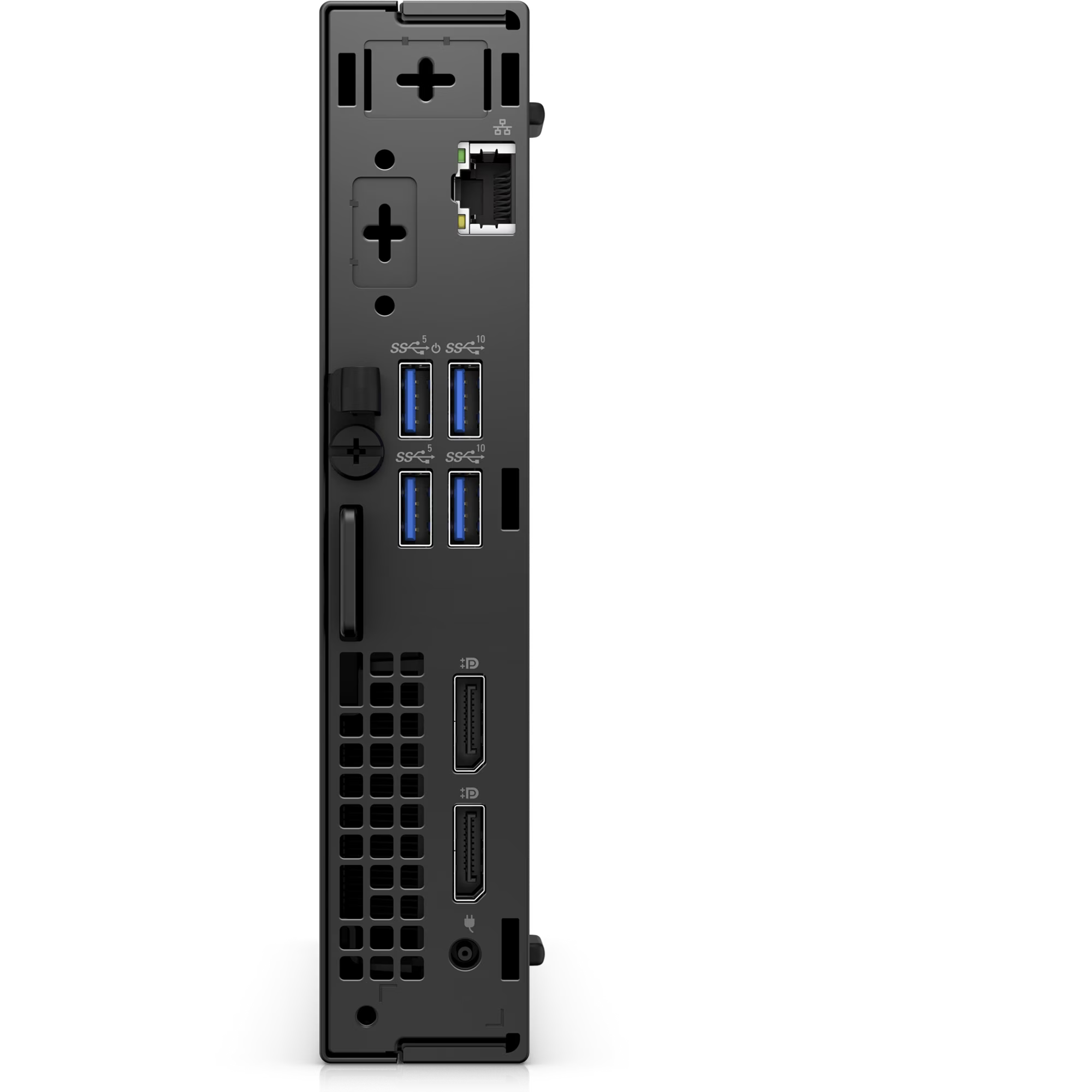
Back (35w):
7. Knock-out Slot for External Wireless Antenna (optional) 8. Optional video port (HDMI 2.0b/ DisplayPort 1.4a/ VGA/ USB Type-C with DisplayPort Alt mode) 9. USB 3.2 Type A Ports (2 – one with Power On) 10. Padlock ring and Kensington security-cable slot 11. Ethernet RJ-45 12. USB 3.2 Gen 2 Type A ports (2) 13. Display Ports 1.4 (2) 14. Power adapter port
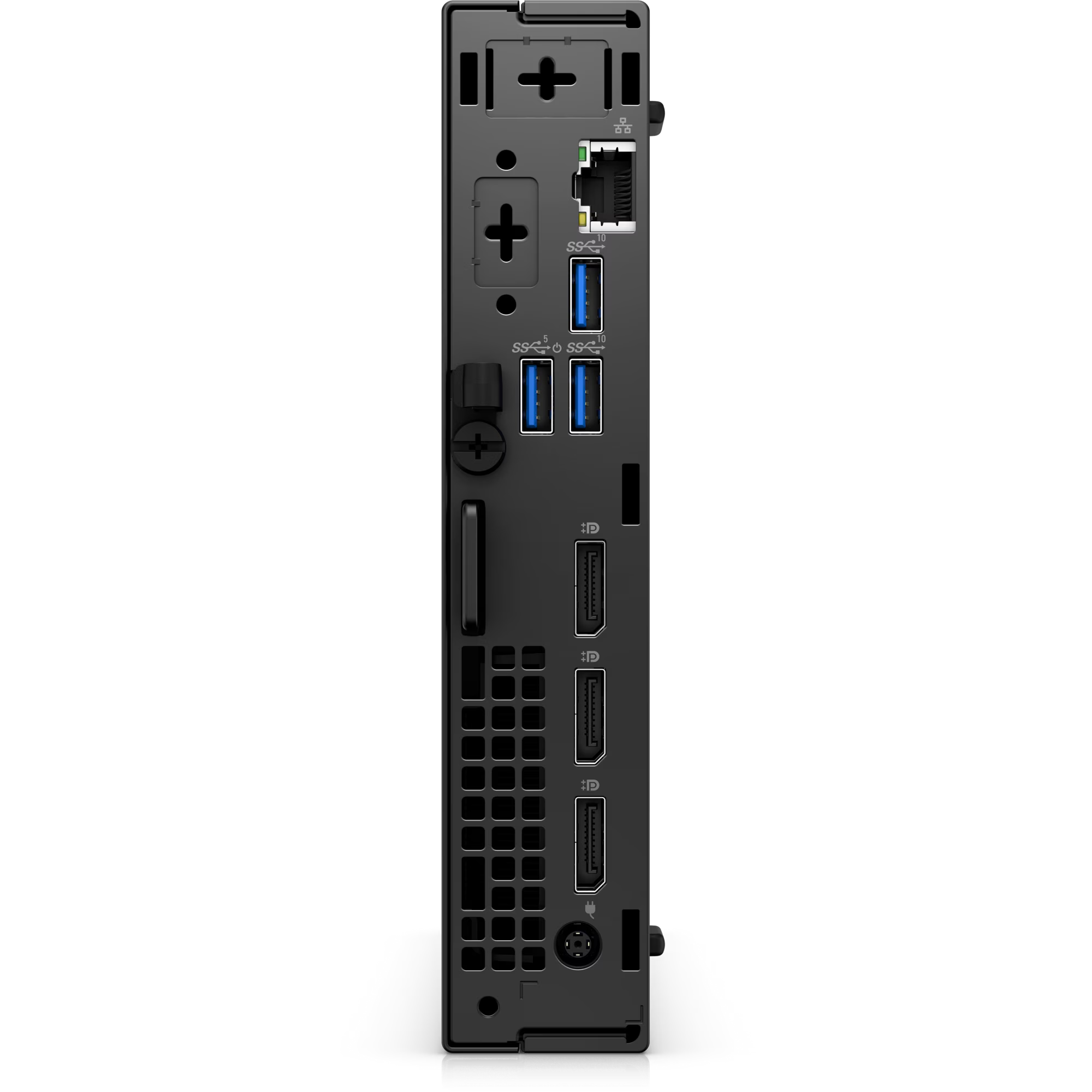
Back (65w):
15. Knock-out Slot for External Wireless Antenna (optional) 16. Optional video port (HDMI 2.0b/ DisplayPort 1.4a/ VGA/ USB Type-C with DisplayPort Alt mode) 17. USB 3.2 Gen 1 Type A with Smart Power On 18. Padlock ring and Kensington security-cable slot 19. Ethernet RJ-45 20. USB 3.2 Gen 2 Type A ports (2) 21. DisplayPort 1.4 ports (3) 22. Power adapter port
<img class="u-max-full-width" src="data:;base64,” alt=”Picture a Dell OptiPlex 7000 Micro with numbers from 1 to 3 signaling product dimensions & weight.” data-src=”https://i.dell.com/is/image/DellContent/content/dam/ss2/products/desktops-and-all-in-ones/optiplex/7000-micro/pdp/desktop-optiplex-7000micro-pdp-mod07.psd?qlt=95&fit=constrain%2c1&hei=400&wid=965&fmt=jpg” />

Dimensions & Weight

1. Width: 1.42 in. (36.00 mm)
2. Depth: 7.00 in. (178.00 mm)
3. Height: 7.17 in. (182.00 mm)
Weight: 2.06 
lb. (0.94 kg)
 
Carbon Footprint Impact

Carbon Footprint Impact

We’re constantly searching for new ways to safeguard the environment by reducing our products’ carbon footprint at every stage of their lifecycle, from design to recycling.

Learn more about this product’s carbon footprint and download its Environmental Data Sheet here. Visit Dell.com/Sustainability to see how we are reducing our environmental impact throughout the company.
We’ve got your business covered

Reviews

There are no reviews yet.

Be the first to review “OptiPlex 7000 Micro Form Factor – Core I7 – 12700 – 8GB DDR4 – 512 NVME – Intel® UHD Graphics 770”

Your email address will not be published. Required fields are marked *